
Searching Rockingham County Civil Dockets
Begin with eCourts Portal Smart Search. Most people search by record number or party name. From there, narrow things down with the Civil Actions, nonconfidential Special Proceedings, or Estates category. Do that if the search calls for it. The Track 9 eCourts transition brought this change. Since then, this Portal has served as the county's online route to case information for Rockingham County. It is one system, not a stand-alone Rockingham civil database. Superior Court and District Court files alike live in the same Rockingham County Clerk of Superior Court records. They share the same Portal.
Stick with the ordinary Smart Search criteria before turning to advanced Party Name filtering. Why? The Portal FAQ warns that advanced Party Name filtering limits results. It does not support wildcards. For a business name, attorney name, bar number, or citation number, the documented Filter by Search Type route is the better tool. One caution is worth repeating. A search may return nothing online. That does not mean no civil record exists. The public terminal may still hold the answer. So may the clerk-held file, a published calendar, or the clerk's office.
- Open Smart Search and enter a complete record number when known, or enter the party name through the ordinary search criteria.
- Limit the result only as needed with Civil Actions, nonconfidential Special Proceedings, or Estates.
- Open the matching Case Summary and compare Case Events with Assignment Information, Hearings, and Dispositions.
- Check the county’s published civil calendar for a scheduled session or court date.
- Use the clerk or public terminal for a paper file, a document image, a copy, or a certified record.
Rockingham Civil Actions in Portal
Civil categories in the Portal reach well beyond a single lawsuit type. On the advanced side you will find Civil Actions, nonconfidential Special Proceedings, and Estates. The advanced guide also lays out statewide taxonomy choices. Examples include Civil General, Civil Magistrate, Civil Superior, Civil Foreclosure, Bond Forfeiture, Confession Judgment, Non-Domestic Restraining Orders, and Summary Ejectment. Treat these as filter categories only. The Portal does not promise that every category will be there for each Rockingham record. Nor does it promise every remote document image.
North Carolina eCourts handles electronic filing through File & Serve. Keep the two layers straight. File & Serve is where filing happens. The Portal is the public layer for case information and hearing searches.
| Search route | What it narrows | Rockingham use |
|---|---|---|
| Record number or party name | Basic Smart Search result | Starting point for a known case or party. |
| Civil Actions | Ordinary civil litigation category | Use only after a basic criterion is supplied. |
| Special Proceedings | Nonconfidential proceedings | Confidential matters are not an ordinary public filter result. |
| Estates | Decedent or estate matters | Use the full decedent name for common names. |
The Portal's public interface wording can shift over time. The descriptions here follow the official Portal guidance. When you search, trust the current labels on the screen over any copied interface description.
Inside a Rockingham County Civil Docket
A Rockingham civil docket is the Case Summary or Register of Actions, nothing more. Per the Portal, a Case Summary can contain Case Information, Assignment Information, Party Information, and causes of action for civil and related categories. It may also hold Case Events, Hearings, Dispositions, and Financial Information. These appear when applicable. Only sections that hold data will show up. So a blank-looking category tells you nothing. It may just be missing from the display rather than empty.
| Case information | Case number and basic identity for the civil record. |
|---|---|
| Assignment information | Court or assignment context when the Portal displays it. |
| Party information | The roles associated with the case; public result returns exclude victims. |
| Cause of action | The legal type of a civil, family, probate, or mental-health matter when entered. |
| Case events | The dated event history, which can record filings, orders, and settings. |
| Hearings, dispositions, finance | Scheduled appearances, recorded results, and financial data when those sections have content. |
Pleadings, orders, judgments, exhibits, and a certified judgment all follow the clerk-file route. The clerk certifies county case documents, not NCAOC. A civil Portal summary can point you to the record. It cannot replace a request for a court-stamped copy.
Rockingham Superior Civil Calendars
Rockingham's local rules and forms page carries the county's civil calendaring material. Among the postings are a 2026 Civil Superior Court Schedule and District Court non-jury calendar-call and motion dates. You will also find a continuance policy, a Civil District Court Calendar Request, and a Rockingham County Notice of Hearing or Calendar Request for Superior Court. These local sources supplement the Portal's case-level hearing information and the statewide calendar service. They do not replace either.
Timing rules govern the Superior civil calendars here. Tentative trial calendars issue at least five weeks before a session. Final civil trial calendars issue at least three weeks out. Before a session, continuance requests go to the senior resident judge or designee. The rules say requests are disfavored after a trial date has been assigned. That applies unless compelling circumstances exist. Keep the schedule in perspective, though. It is a local planning rule. It is no substitute for checking the actual setting on the case record.
The Superior civil-calendaring rule adds one more layer. Contact with the senior resident judge runs through the Superior Court Calendar Coordinator. That coordinator keeps a separate case-tracking system alongside the clerk's ready calendar.
Civil Case Types on the Docket
Rockingham civil matters split between District Court and Superior Court. The clerk and Portal system stays unified. District Court generally covers civil claims where the amount in controversy is $25,000 or less. Superior Court generally handles the matters above that line. Domestic-relations cases go to District Court no matter the amount. These jurisdiction facts describe the court path. They are not a Portal filter label. Nor are they a prediction of results for any single file.
One more wrinkle matters here. The Clerk of Superior Court also serves as ex officio judge of probate. So estate and special-proceeding records need no separate county probate-court docket. Use the Portal's Estates or nonconfidential Special Proceedings categories where they fit. Then turn to the Case Summary's assignment and events sections. That shows where the file sits within Rockingham's court system.
Rockingham Civil Calendar Call
Civil cases in District Court run on their own clock. To get a case on the regular calendar, you send the clerk a written request. It must come at least four weeks out. Calendar-call and short-motion requests have a shorter window of two weeks. The local form lists the calendar call in Courtroom C at 10:00 a.m. That call is a real court event on the docket. It is not automatically the hearing where the case gets decided.
So read a Rockingham civil docket with care. A listed date could be a calendar call, a motion setting, or some other procedural step. Not every entry is a final merits hearing. Check the Case Events history and the Hearing section side by side. When an active setting stays unclear, confirm it. Use the Portal, Rockingham's civil calendar, or the local coordinator.
Civil Docket Settings and Hearings
A civil setting is simply the case's scheduled court appearance or calendar event. In the Portal, Search Hearings is the live tool for hearing times and locations. The Case Summary adds case-level context around it. Search Hearings lets you look by case number, party, business, attorney, attorney bar number, judicial officer, or courtroom. One gap: the public result does not tell you whether a hearing is virtual or in person. An outside link can appear when a virtual option exists.
The statewide civil and criminal calendar service lets you browse published schedules by county and date. Treat it as a partner to the Portal and the clerk, not a replacement. Court dates shift with continuances, local calendar practice, and weather closures. For current local confirmation, the court coordinator and the clerk are the documented contacts.
Rockingham Civil Summary Difference
A Portal Case Summary and a clerk-held civil document answer different questions. The summary can show the case identity, assignment, parties, and cause of action. It also lists events, hearings, disposition, and financial information. But a filed complaint, motion, order, exhibit, or certified judgment lives in the underlying case file. The Rockingham clerk is custodian of both Superior and District Court files and handles certifications.
Need a document itself, a paper-era file, a certified copy, or clarity on an uncertain index result? Go through the clerk or the public terminal at the Rockingham County Judicial Center. The office sits at 170 Hwy 65, Reidsville, NC 27320. The main number is (336) 634-6000. Under G.S. 7A-308, the published benchmark is $2 for the first page and $0.25 for each additional page or fraction. A certificate under seal adds a $3 charge. Confirm the full cost before paying.
Civil Docket Access Rules
G.S. 7A-109 directs clerks to keep county records, files, dockets, and indexes. It generally opens them for inspection during office hours unless another law says otherwise. For a nonrestricted Rockingham civil file, that means the public Portal or an in-person look at the Clerk of Superior Court. The state's Public Records Act adds the broader public-record definition and minimal-cost policy, still subject to confidentiality statutes and court-record rules.
The Portal has display limits. Confidential special proceedings do not appear in the ordinary public Special Proceedings category. Domestic-violence records can carry restricted Portal data. Sealed or expunged material operates under its own legal controls. NCAOC's agency public-record request form is no shortcut to a Rockingham case file. NCAOC is not the county case-document custodian. For county court documents, the clerk is the right contact.
Separate Rockingham Federal Civil Dockets
A federal civil docket sits entirely apart from the Rockingham County clerk and the Portal. Rockingham belongs to the U.S. District Court for the Middle District of North Carolina. That court is a different layer entirely, so its landing page will not surface a county Superior or District Court civil case.
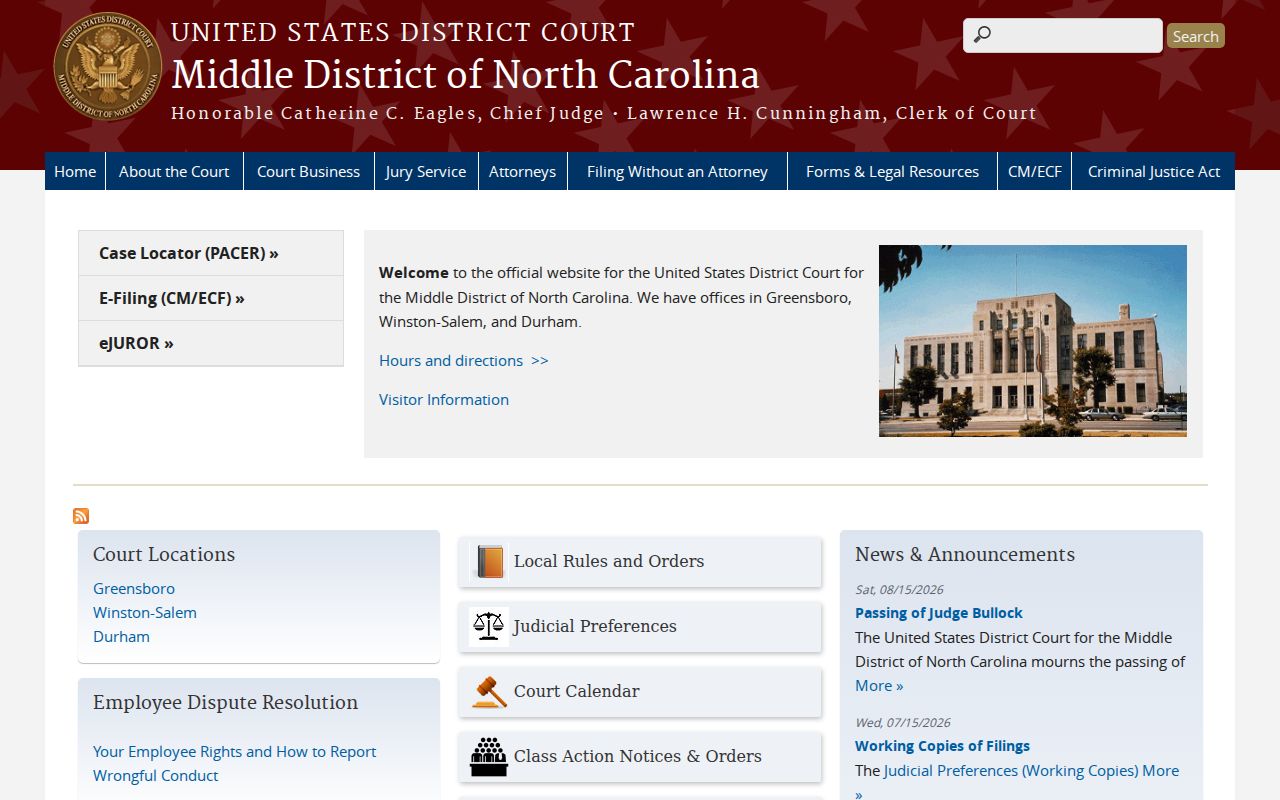
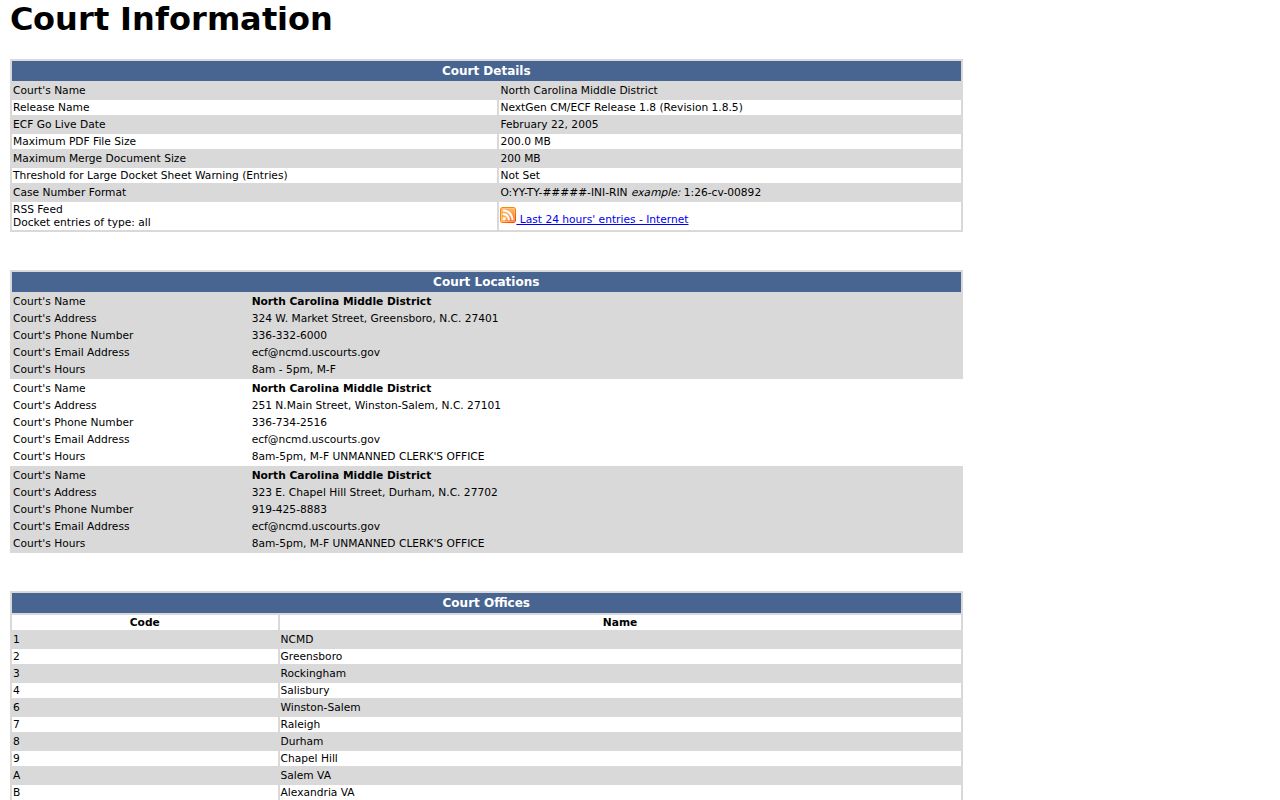
The official page marks out the separate federal forum. The Middle District's CM/ECF court-information page identifies its NextGen filing system, lists Rockingham as office code 3, and gives a federal case-number example. CM/ECF is the federal filing system, not North Carolina File & Serve.
Public federal docket access runs through PACER, which requires registration. Registering costs nothing. The official pricing page states a $0.10-per-page charge for a docket, document, or search result. An individual document is capped at $3. Fees of $30 or less are waived quarterly. Public-access terminals at the courthouse are free. PACER's official pricing explanation spells out these federal charges and the terminal option.
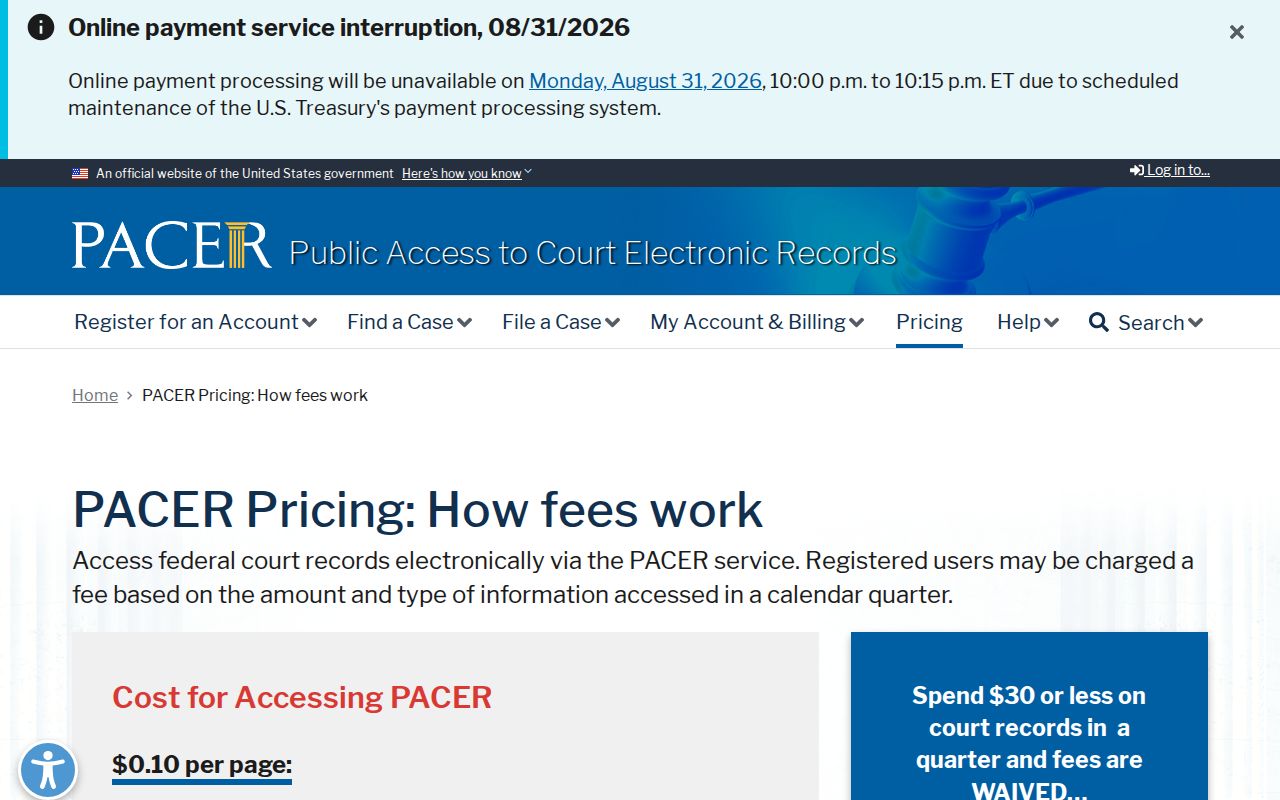
Those PACER terms cover federal records only. They set no price or access rule for a Rockingham County civil docket, document, or clerk-certified copy.
Rockingham Civil Setting Changes
A continuance moves a date. It does not move the outcome. Keep that distinction in mind whenever a Rockingham County civil docket entry shows a reset hearing. The local civil rules set the timing and procedure for calendar requests. The Portal's Case Events and Hearings sections carry the case-specific record whenever data is available. Weather closures are handled the same way across the state. The Court Dates page says a canceled case will be rescheduled, and it tells you to contact the county clerk once normal hours resume.
So work the layers in order. Pull the Case Summary for the history. Run Search Hearings for the current setting. Then scan the published calendar for the county schedule. That covers the chronology, the live hearing, and the docket as scheduled. For a firm, present-time confirmation on an active setting, though, call the clerk or the right coordinator. Each source answers a different question, and the local office answers the last one.